
The Only 5 Todoist Alternatives Worth Trying in 2026
Compare the best Todoist alternatives for 2026. Detailed review of Akiflow, rivva, Motion, Sunsama & Reclaim.ai—with pros, cons, and who each tool is for.

Todoist has been the go-to task manager for millions of people. It’s simple, reliable, and available almost everywhere. For many people, it’s still the obvious choice for tracking to-dos. But if you’ve ever finished a fully “checked” day and still felt behind, frustrated, or exhausted, you already know the problem: lists don’t equal clarity.
Todoist’s simplicity has become its ceiling. If you’re reading this, you’ve probably hit that ceiling too. Maybe you’re tired of staring at endless lists that don’t tell you when to do things. Maybe you’re drowning in overdue tasks that Todoist cheerfully displays without helping you dig out. Or maybe you have so many overdue tasks that the app has stopped being helpful and started being a source of anxiety.
Why People Are Looking for Todoist Alternatives in 2026
In 2016, Todoist revealed that roughly 70% of its active users had at least one overdue task. To their credit, they’ve released various features over the years to try to improve this, including smart schedule and AI task breakdowns and tips. But they’re still missing one key thing.
Modern work doesn’t just need tasks, it needs context. Calendar, meetings, inbox, energy, focus windows: all of those affect when a task should be done and how it should be scheduled. High-performance professionals need systems that understand context (your calendar, your energy levels, your actual capacity) and automatically help you plan accordingly.
The core problems with Todoist:
1. It’s reactive, not proactive
Todoist shows you what’s due. It doesn’t help you figure out when you’ll actually do it. There’s no connection to your calendar, no understanding of how long tasks take, no intelligence about when you’re most capable of focused work.
You’re left doing all the cognitive work: looking at your calendar, estimating time, figuring out what’s realistic for today, manually dragging tasks around. For people juggling complex, high-cognitive-load work, this mental overhead is exhausting.
2. It treats time as the only context
Todoist asks: “When is this due?”
But that’s not the only question that matters. What about:
When do you have actual availability in your calendar?
When are you mentally sharp enough to tackle difficult work?
How much energy do you have today?
What’s already competing for your attention?
Todoist ignores all of this. It assumes you have infinite capacity and consistent energy, which no human does.
3. It increases cognitive overload for neurodivergent brains
For people with ADHD or high cognitive load, Todoist can make things worse. Seeing 47 overdue tasks with no clear guidance on where to start is paralyzing, not motivating. The interface demands you decide everything: priorities, timing, what’s realistic.
When you’re already overwhelmed, that’s the last thing you need.
Quick Comparison: 5 Best Todoist Alternatives
Todoist is a great task list. But the five tools below are worth trying if you want more signal and less cognitive load. We’ve tested these alternatives extensively, and we’re being honest about what works, what doesn’t, and who each tool is actually for.
Akiflow
rivva
Reclaim.ai
Sunsama
Motion
1. Akiflow: Best for Power Users Who Live in Integrations
What it is
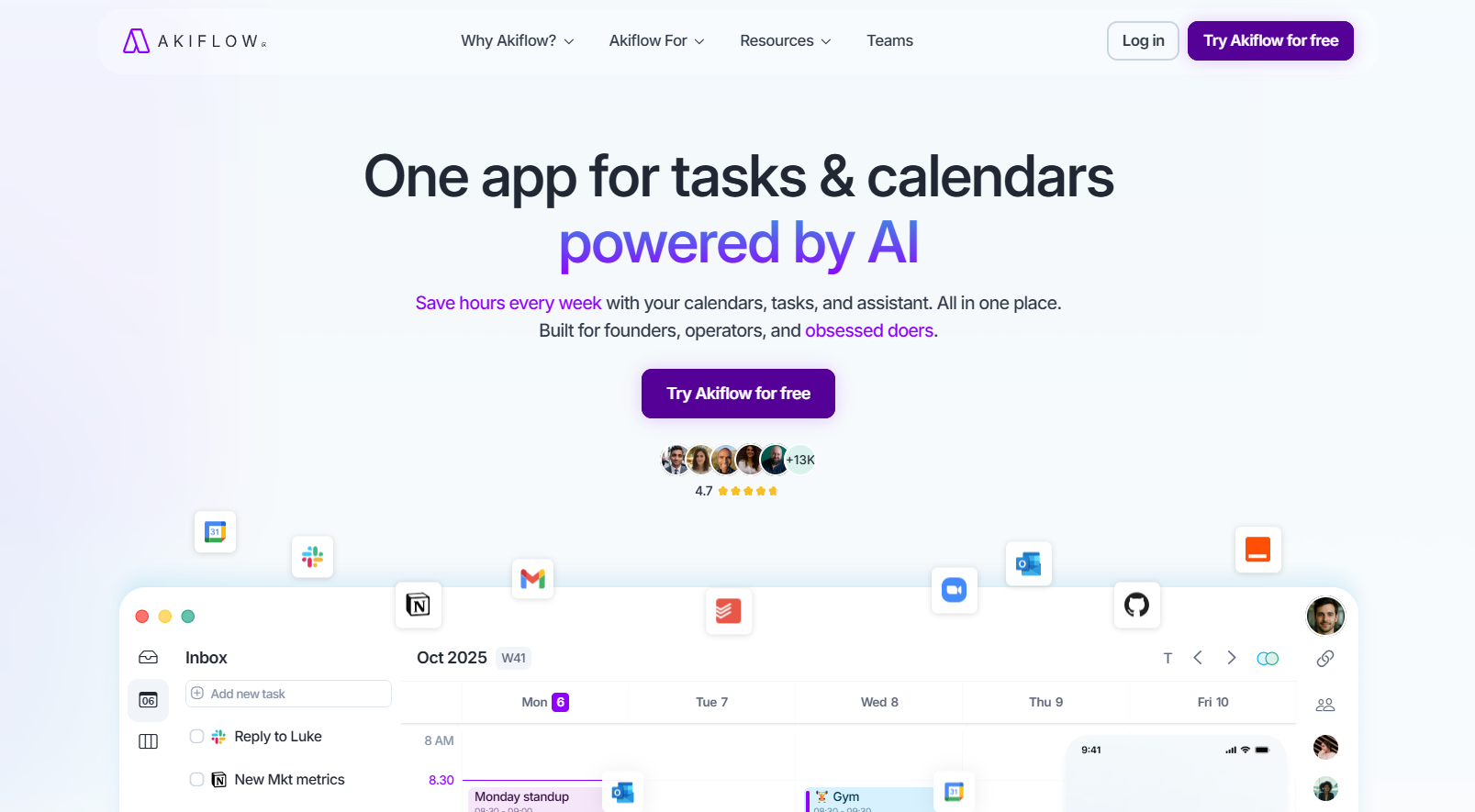
Akiflow is an all-in-one productivity hub that consolidates tasks from 18+ tools into a single universal inbox. If you’re juggling Gmail, Asana, Slack, ClickUp, Notion, Trello, and more, Akiflow brings everything together so you can plan from one place.
Key Features
Universal inbox aggregating tasks from 18 integrations
Command bar with extensive keyboard shortcuts
Time blocking directly on your calendar
Voice commands for quick task entry
Works offline
iOS, Android, Desktop, and Web apps
Pricing
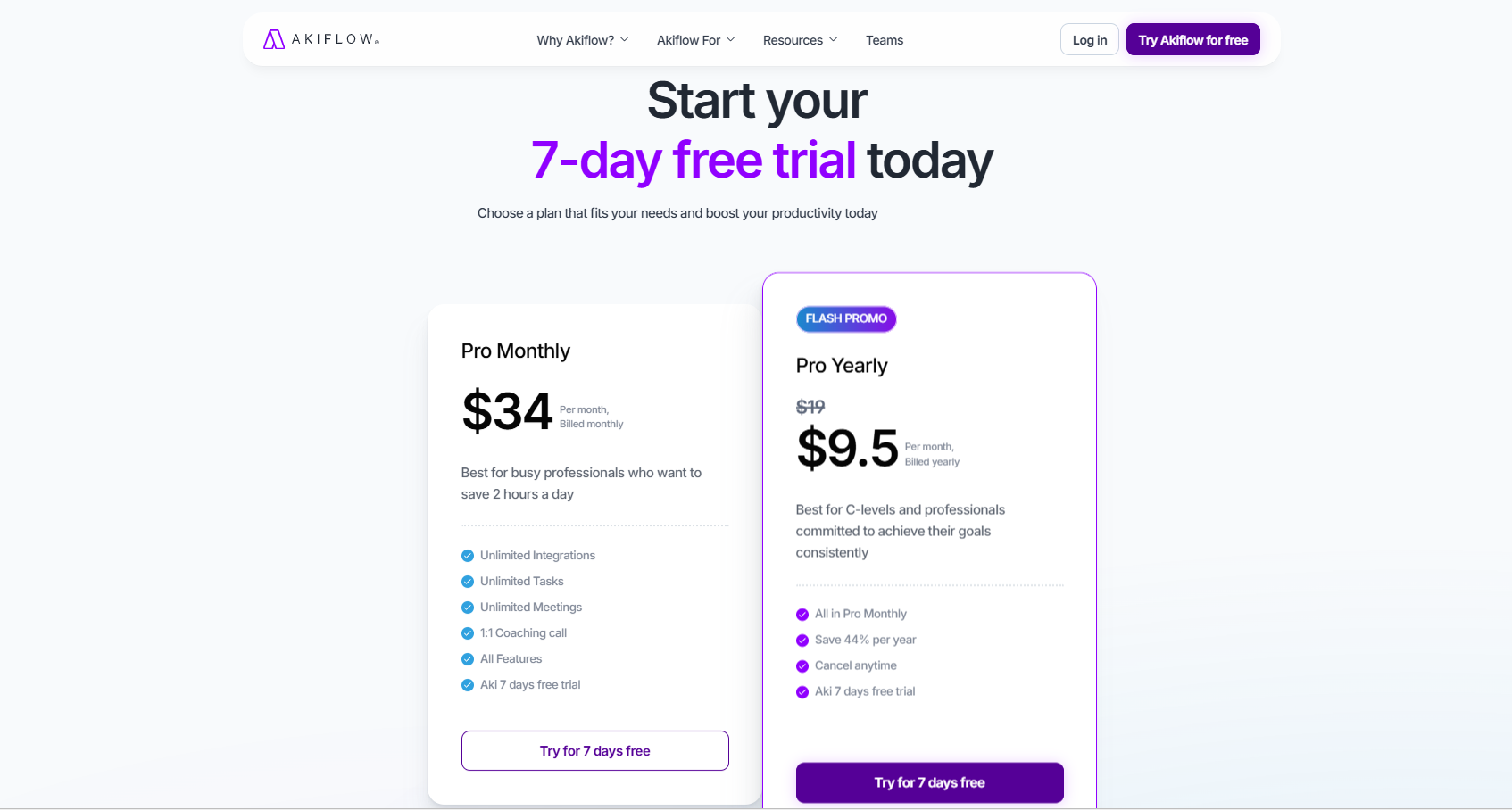
Akiflow only has one paid tier, which you can pay for monthly or annually. There is no free tier, but you get a 7-day free trial to test the product.
Annual: $114/year ($9.50/month) — 72% discount
Monthly: $34/month
Trial: 7 days
Pros
Best-in-class integrations for tech professionals
Keyboard-first workflow for speed
Team scheduling features
Generous annual discount makes it affordable
Actually works offline
Cons
Very expensive on monthly billing ($34/month)
No energy awareness (purely time-based scheduling)
Mobile app experience is reportedly poor
No free tier
Doesn’t support subtasks
Best For
Tech-savvy professionals and operators who need to unify fragmented workflows across multiple tools. If you’re constantly switching between Gmail, project management software, and communication apps, Akiflow’s universal inbox is a game-changer.
Akiflow vs. Todoist
What it fixes: Deep calendar integration, consolidated task management across tools
What Todoist does better: Mobile experience, simpler interface, free tier available
Who should switch: Power users drowning in tool fragmentation who don’t mind a learning curve
2. rivva: Best for Sustainable High Performance Without Burnout
What it is
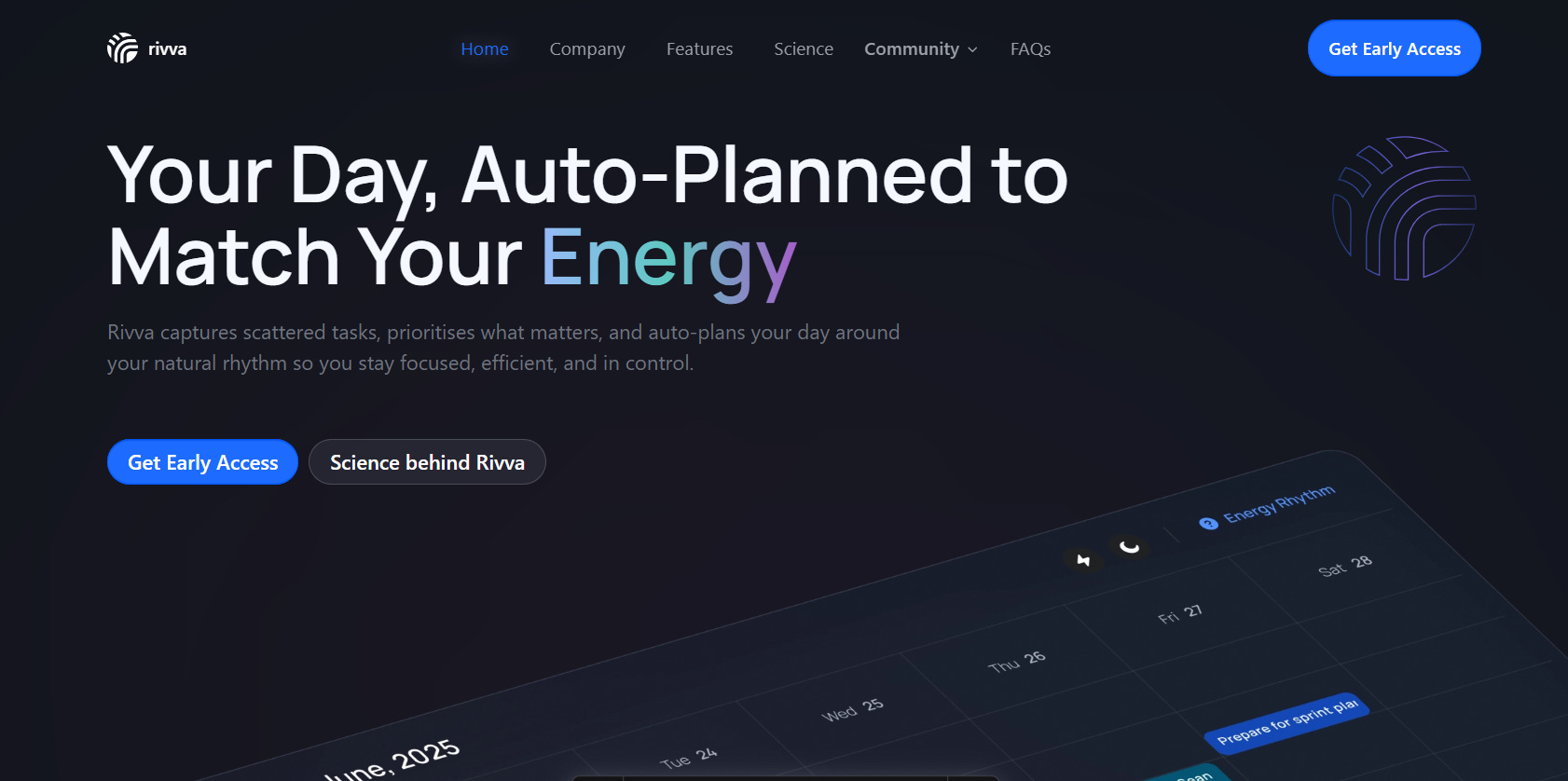
rivva is an intelligent workspace that helps you plan your day in a way that fits your real life. It combines an AI assistant that understands your work, sleep, and energy with a simple planner. The planner brings all your tasks, meetings, and inbox into one place, while the assistant writes and sends replies, plans or moves tasks and meetings, and keeps your schedule up to date with your natural energy rhythm.
Unlike traditional task managers, rivva connects to your wearable’s health data to understand your energy patterns, then automatically plans your day around when you’re actually sharp, not just when you’re free.
Key Features
Energy-aware scheduling: Connects with Apple Health to learn when you’re cognitively sharp
Nia, your AI assistant: Helps break down overwhelming tasks, reschedule when plans change, and provides coaching
Automatic daily planning: Reads your calendar, email, and tasks to create intelligent schedules
Light-touch reminders: Calm notifications & reminders based on energy phases
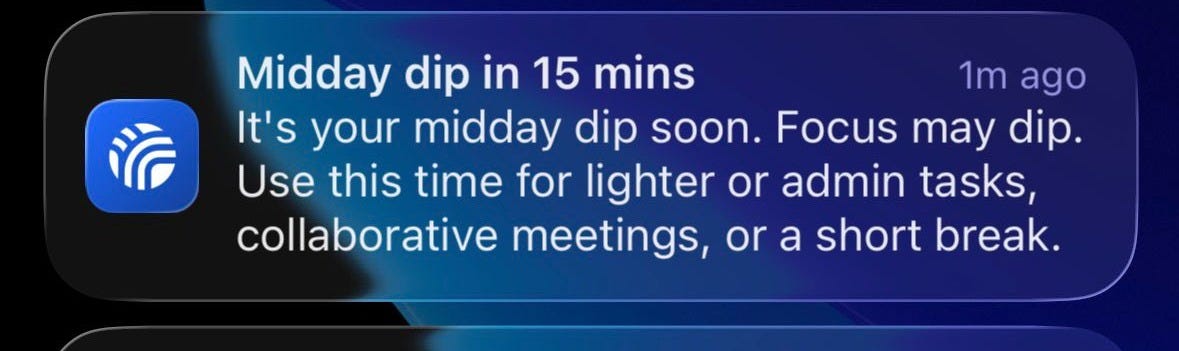
Sample light-touch notification from rivva Automatic task extraction: Captures tasks from email without manual entry
Two-way calendar sync: Tasks appear on your calendar, calendar changes update your plan
Pricing
Free tier available.
$10/month or $80 per year for premium with a 7-day free trial.
Available on iOS, Android, and web.
Pros
Only tool that plans around your cognitive capacity, not just your calendar
AI assistant actively helps you execute, not just organize
Reduces decision fatigue with automatic intelligent scheduling
Built specifically for high-performers and neurodivergent professionals
Free during beta with guaranteed discount later
Designed to reduce burnout while maximizing productivity
Cons
Web & iOS only (no Android app yet)
Best experience requires a wearable device
Fewer integrations than established competitors (more coming soon)
Best For
Ambitious professionals, founders, and operators who are tired of rigid productivity systems.
People with ADHD or high cognitive load who need tools that work with their brain, not against it.
Anyone who’s burned out on “do more” culture and wants sustainable performance.
rivva vs. Todoist
What it fixes: The entire planning burden. While Todoist shows you tasks, rivva tells you when to do them based on your actual capacity. It connects tasks to your calendar AND your energy levels, so you’re not just scheduling into free time—you’re scheduling into sharp time.
What Todoist does better: Cross-platform availability (Todoist works everywhere), task import from other tools (rivva’s integrations are still being built)
Who should switch: Anyone who finishes their day exhausted but nothing important got done. People who’ve tried Todoist, Motion, Sunsama, and everything else but still feel overwhelmed. Founders and operators who can’t afford to burn out.
The rivva difference: Every other tool on this list treats productivity as time management. rivva treats it as energy management. That’s a fundamental rethinking of how productivity tools should work.
3. Reclaim.ai: Best for Calendar Defense and Team Habits
What it is
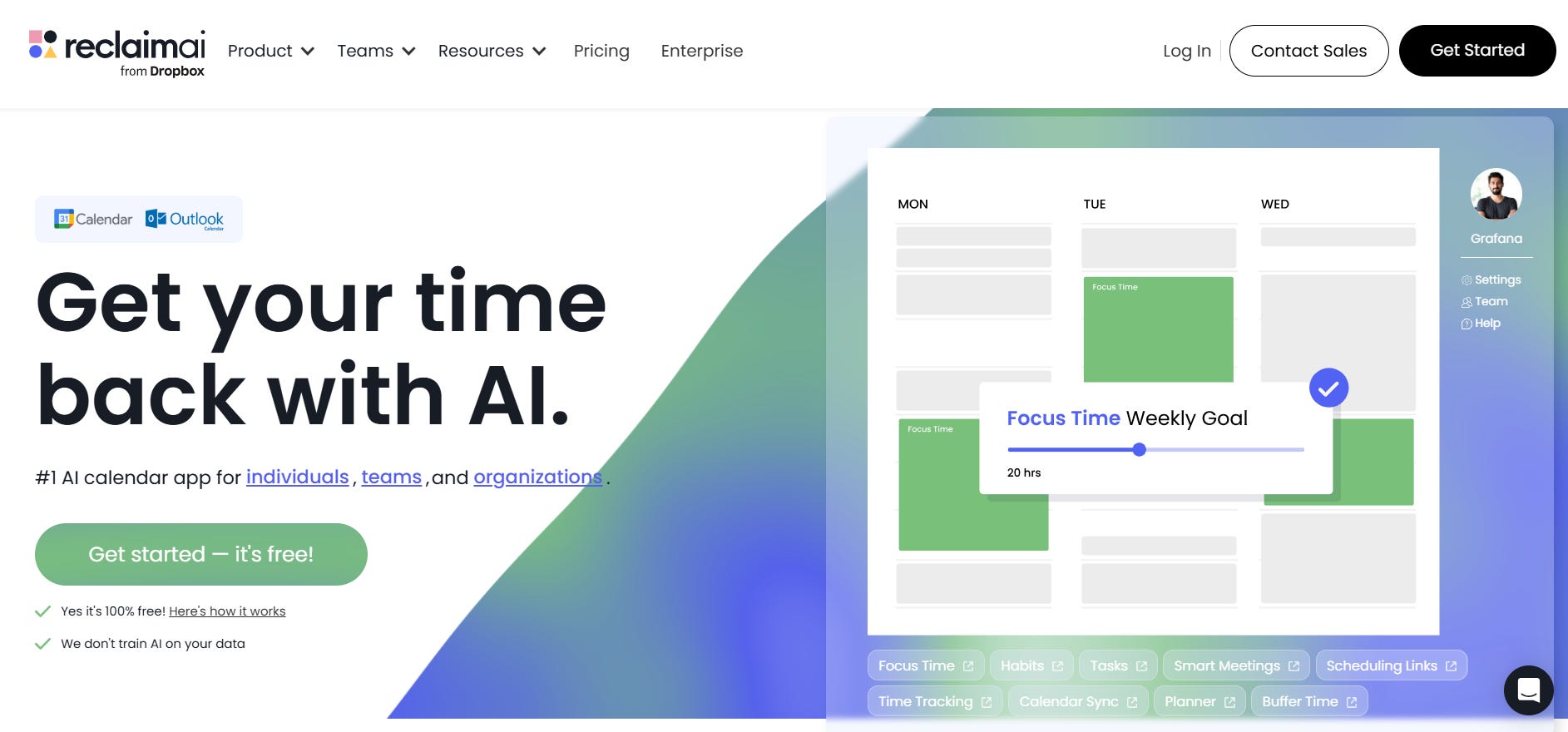
Reclaim.ai (owned by Dropbox) is a calendar-first productivity tool that automatically defends your time for deep work, habits, and focus. It’s especially strong for teams that need coordinated focus time and calendar management.
Key Features
Automatic habit scheduling (lunch, exercise, focus blocks)
Company-wide focus time coordination
Smart 1:1 meeting scheduling
Multi-calendar sync (unlimited on paid plans)
Slack status sync and DND automation
Buffer time management between meetings
Time tracking and analytics
Pricing
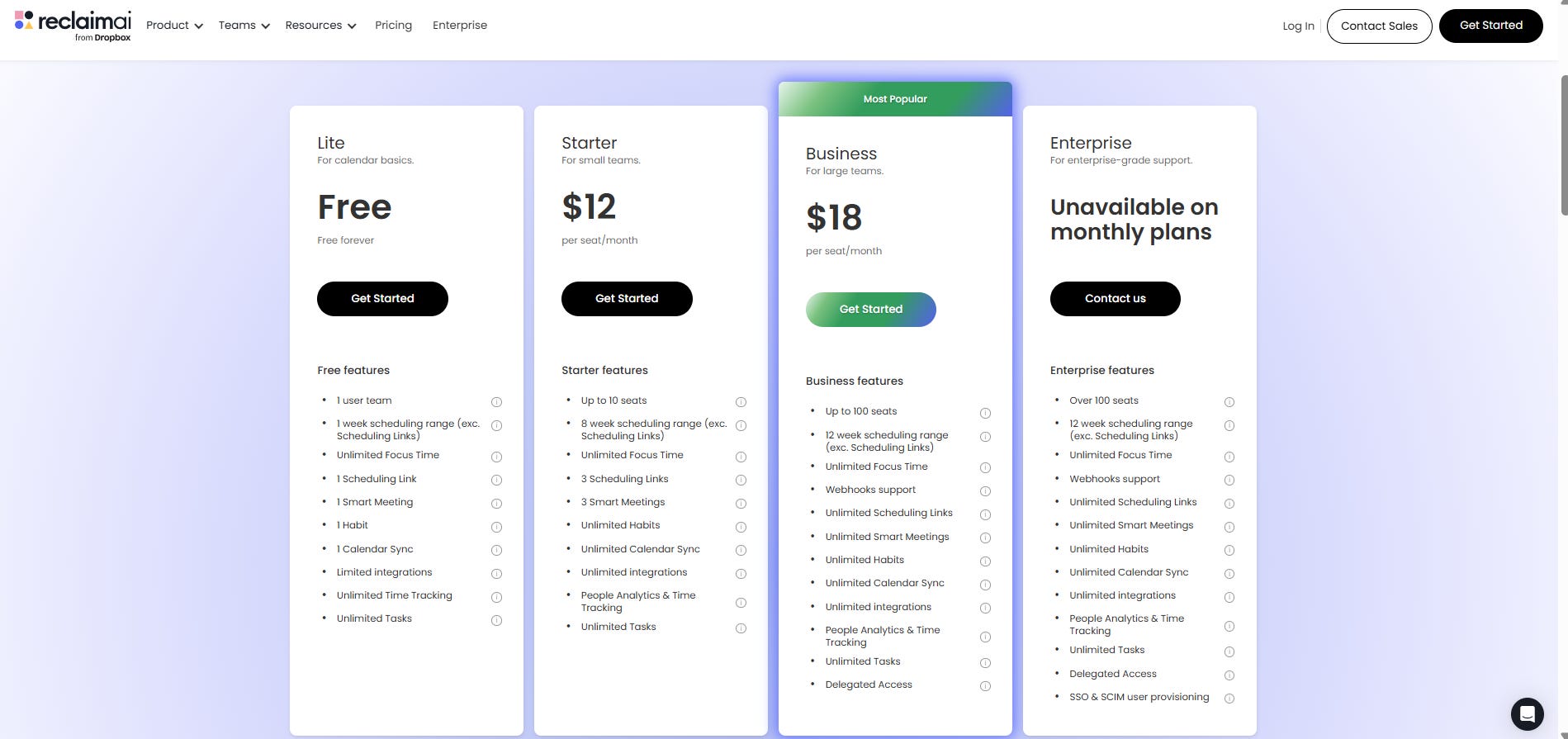
Reclaim has a generous free plan, with paid plans starting from $12 per month
Free: Limited (1 user, 1 week scheduling, 1 habit, limited integrations)
Starter: $12/seat/month (10 seats, 8-week scheduling, unlimited habits)
Business: $18/seat/month (100 seats, 12-week scheduling, webhooks)
Enterprise: Custom pricing
Pros
Excellent habit scheduling (most praised feature)
Strong team coordination features
Free tier available
Automatic Slack integration
Smart meeting scheduling
Cons
No dedicated mobile app (web-only, mobile-friendly)
No energy awareness (purely time-based)
No AI assistant or conversational help
Task management is basic and calendar-centric
Increasingly enterprise/team-focused vs. individual
Cannot schedule tasks across midnight (problem for night workers)
Some users report invasive calendar notifications
Best For
Teams and enterprises that need coordinated focus time and calendar management. Companies wanting to protect deep work across the organization.
Reclaim vs. Todoist
What it fixes: Calendar integration, automatic time blocking, habit scheduling, team coordination
What Todoist does better: Task-focused workflow, mobile app, simpler interface for individuals
Who should switch: Teams needing calendar defense and habit scheduling more than task management.
4. Sunsama: Best for Intentional Daily Planning Rituals
What it is
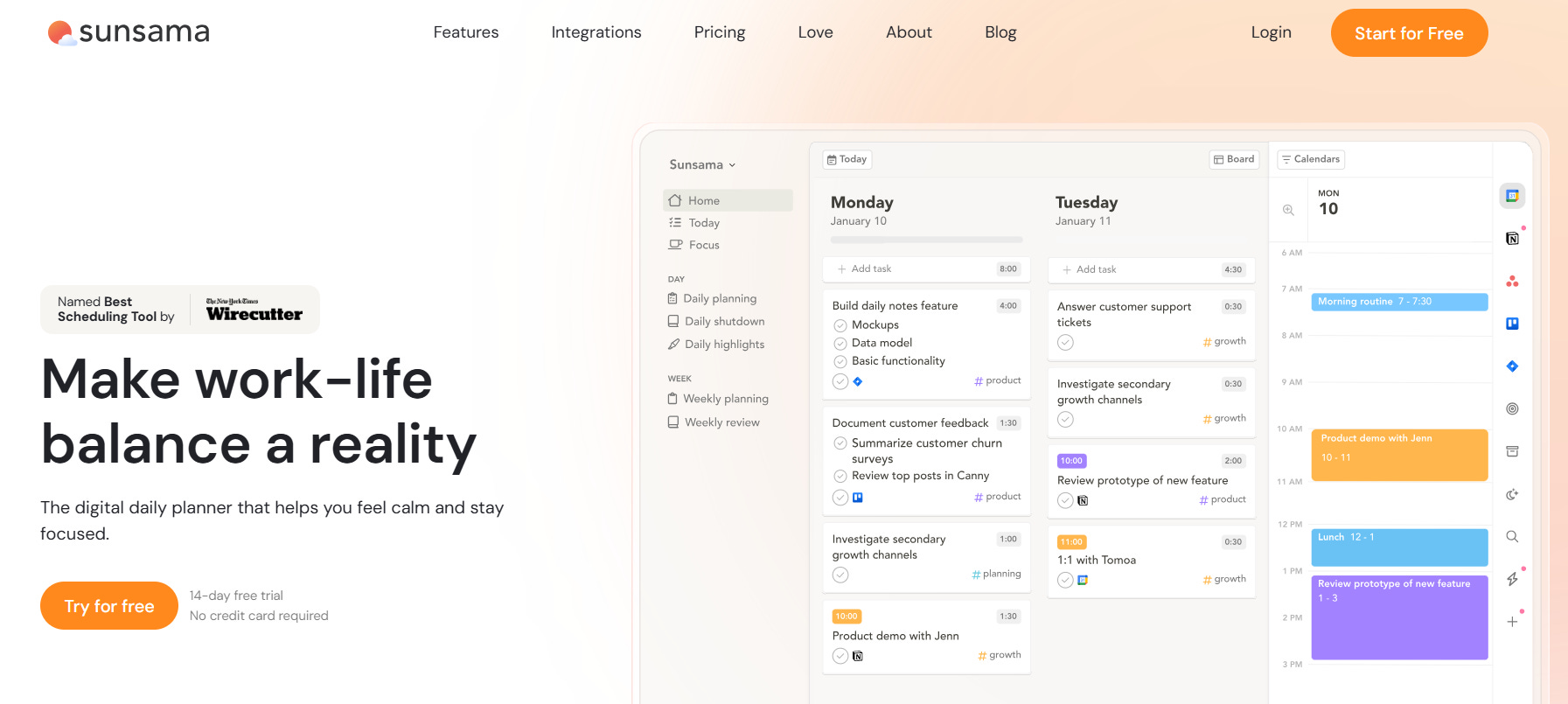
Sunsama is a daily planning tool built around guided rituals for starting and ending your day. If you value calm, intentional workflows and have 15-20 minutes daily for planning, Sunsama’s beautiful interface and structured approach might be a great fit.
Key Features
Guided daily planning ritual (15-20 minute commitment)
Beautiful, calming UI
Daily reflection and shutdown routines
Pomodoro timers integrated
Focus mode (mute apps, reduce distractions)
Import tasks from email and 19 integrations
Pricing

Sunsama doesn’t have a free tier, but they allow a free trial. They have only one paid tier, with the option for a monthly or yearly subscription
Monthly: $20/month
Annual: $192/year ($16/month)
Free Trial: 14 days, no credit card required
Pros
Exceptional, calm interface
Structured daily rituals promote intentionality
Can import from email and 19 other tools
Strong focus mode features
Cross-platform (iOS, Android, Desktop, Web)
Daily reflection encourages learning
Cons
No AI assistance (completely manual)
Requires 15-20 minute daily planning ritual
Expensive at $20/month for a manual tool (most common complaint)
Mobile app is limited
No free tier
No energy awareness
Best For
People who have the time and desire for structured daily rituals. Those who value beautiful design and intentional workflows over automation. Best for calm-paced professionals, not chaotic founder schedules.
Sunsama vs. Todoist
What it fixes: Calendar integration, guided planning structure, calm UI, daily reflection
What Todoist does better: Quick capture, less time investment required, more affordable
Who should switch: People who want guided daily rituals and can commit 15-20 minutes daily to planning
5. Motion: Best for Enterprises Wanting Full Project Management
What it is
Motion started as an individual productivity tool but has pivoted heavily toward enterprise project management. It’s an all-in-one solution with AI auto-scheduling, email management, and team collaboration, at a premium price point.
Key Features
AI auto-scheduling (time-based)
150+ integrations
Email management (draft replies, categorize, summaries)
Flags at-risk tasks automatically
Breaks projects into sub-tasks
Automatically re-plans when meetings run long
iOS, Android, Desktop, and Web apps
Team project management features
Pricing
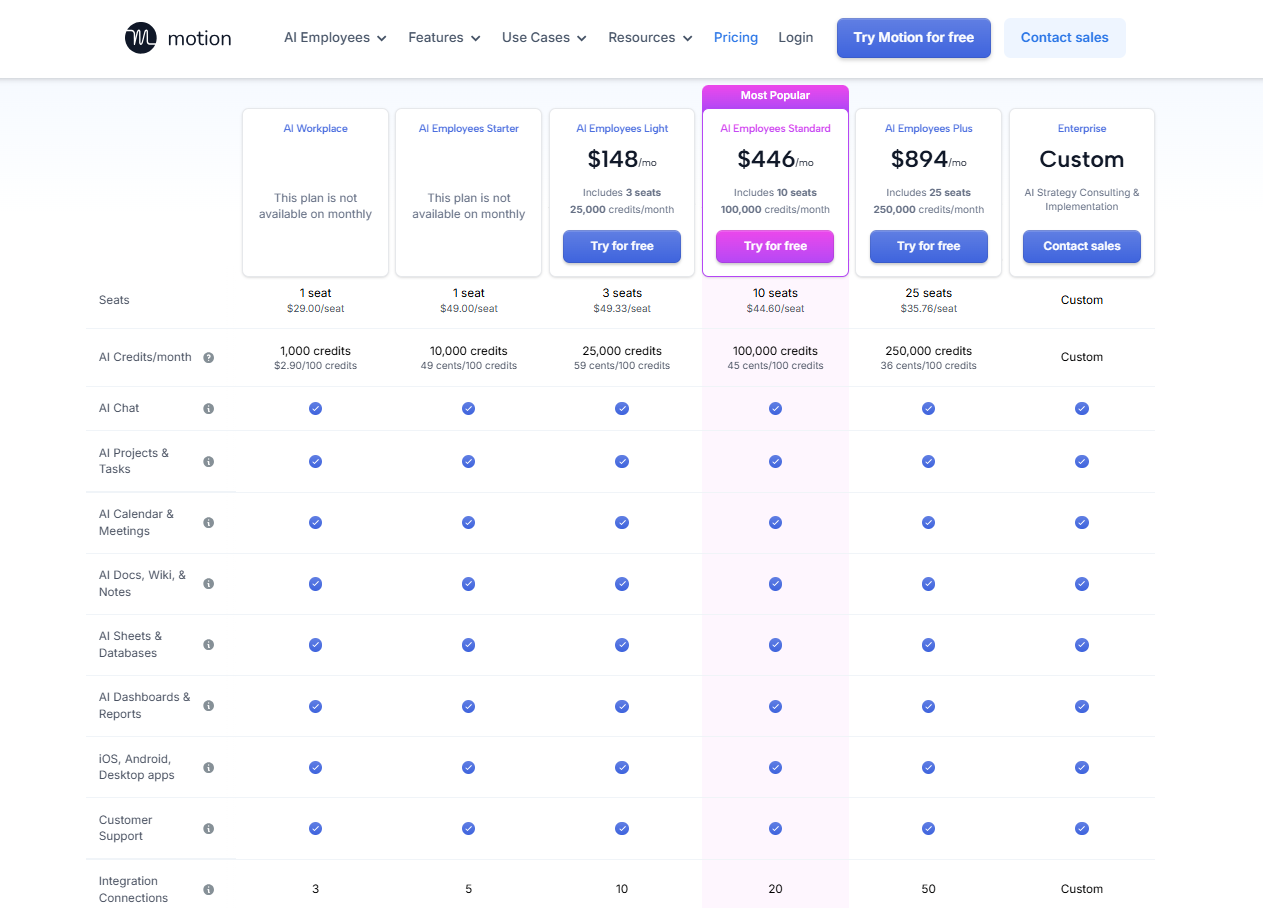
Motion is by far the most expensive tool on this list. It’s 2 cheapest tiers are only available as annual subscriptions. So, if you prefer to pay monthly, the cheapest tier available to you starts at $148/month.
AI Workplace: $348/year ($29/month) — annual only
AI Employees Starter: $588/year ($49/month) — annual only
AI Employees Light: $148/month
AI Employees Standard: $446/month
AI Employees Plus: $894/month
No monthly plans for cheaper tiers
Trial: 7 days (credit card required)
Pros
Comprehensive feature set for teams
150 integrations (extensive)
Email management built in
Automatic re-planning when schedules change
Strong project management capabilities
Established brand with high awareness
Cons
Overwhelming UI (major user complaint)
Cannot import existing tasks
Very expensive
No monthly option for cheaper plans
Target audience now enterprise, not solo users
Short 7-day trial for complex tool
No energy awareness
Best For
Enterprise teams and companies needing full project management with AI scheduling. Best for organizations with budget and patience for the learning curve.
Motion vs. Todoist
What it fixes: AI scheduling, project management, email integration, team features
What Todoist does better: Simpler interface, task import, more affordable for individuals, easier to learn
Who should switch: Teams needing comprehensive project management, not individual users
How to Choose the Right Todoist Alternative
Choosing a productivity tool isn’t just about features. It’s about finding something that matches how your brain actually works.
1. Define Your Core Productivity Challenge
If your problem is: Fragmented tools across multiple apps, try Akiflow (universal inbox consolidates everything)
If your problem is: Finishing days exhausted with nothing important done, try rivva (energy-aware planning prevents burnout)
If your problem is: Meetings eating all your focus time, try Reclaim.ai (automatic calendar defense)
If your problem is: Lack of structure and daily intention, try Sunsama (guided planning rituals)
If your problem is: Team coordination and project management, try Motion (enterprise-grade features)
2. Match Tool to Your Work Pace
Chaotic, high-agency founders: rivva or Akiflow (flexible, fast)
Structured, process-oriented professionals: Sunsama or Reclaim.ai (ritual-driven)
Enterprise teams: Motion or Reclaim.ai (team features)
3. Consider Your Cognitive Load
Neurodivergent brains (ADHD, etc): rivva (reduces overwhelm with automatic planning and AI coaching)
High cognitive load, variable energy: rivva (energy-aware scheduling)
Consistent energy, need structure: Sunsama (daily rituals)
Low cognitive load, just need organization: Akiflow or Reclaim.ai
4. Consider Your Budget
Most affordable paid: Reclaim ($12/seat), rivva ($14/month or $10.5 billed quarterly), Akiflow if annual subscription ($114/year = $9.50/month)
Mid-range: Sunsama ($20/month)
Premium: Motion ($148/month)
Conclusion
Todoist isn’t a bad tool. For simple task tracking, it’s still reliable. But if you’re reading this article, you’ve probably outgrown simple task tracking.
The best productivity tools in 2026 don’t just show you tasks, they help you figure out when, how, and whether to do them. They understand context: your calendar, your energy, your actual capacity. They reduce cognitive load instead of adding to it.
If you’re a founder or operator who’s tired of being busy but not effective, rivva is purpose-built for you. It’s the only tool that plans around your energy, not just your time. And with Nia as your AI assistant, you don’t have to organise tasks manually. Just tell Nia and she’ll set it up at the best time that works for you. Plus, you get coaching to help you execute.
At $10.50/month (quarterly) or $13.99/month (monthly), rivva delivers capacity-aware planning at a fraction of the cost of alternatives.