
ReclaimAI vs Akiflow: Which Productivity Tool Actually Works Better?
ReclaimAI is calendar-first, Akiflow is task-first. Read this practical comparison to pick the right one and learn the missing third option.

You’re drowning in tasks. Your calendar is chaos. You’re working until midnight trying to catch up, then waking up early to plan your to-do list, only to feel like you’re failing at everything.
Sound familiar?
If you’re a founder, operator, or high-performing professional searching for a productivity tool that actually works, you’ve probably stumbled across two names: ReclaimAI and Akiflow.
Both promise to fix your productivity problems, but they take completely different approaches and solve different problems.
ReclaimAI solves meeting overwhelm and schedule chaos. Your calendar is the source of truth, and tasks only exist to fill the gaps between meetings. Its job is to protect time on your calendar.
Akiflow solves task overload and scattered work. Your tasks are the source of truth, and the calendar is simply where you visualize the plan you create.
One is calendar-first. The other is task-first. They start from opposite ends of your productivity workflow.
The question isn’t “which is better?” The question is: What’s your primary pain point right now?
In this comparison, I’ll break down exactly what each tool does, who it’s built for, and where both still fall short. By the end, you’ll know which one fits your workflow, or whether there’s a better option entirely.
Why People Compare ReclaimAI vs Akiflow
Here’s the mistake most people make when comparing these tools: they assume ReclaimAI and Akiflow are competing solutions to the same productivity problem.
They’re not. They solve two completely different problems that just happen to live in the same productivity ecosystem.
ReclaimAI is calendar-first and helps with meeting overwhelm and schedule chaos. Akiflow is task-first and helps consolidate scattered tasks from various sources.
This distinction matters because your primary pain point determines which tool actually works for you.
If your calendar is always packed with meetings and you have no time for deep work or execution, Reclaim is a great choice because it will help protect focus time automatically.
But if your tasks live in different tools and you’re constantly context-switching to check what’s next, Akiflow will give you a unified view of the tasks you need to do.
One thing worth noting is that both still ignore a fundamental problem: they don’t consider your energy levels, cognitive load, or actual capacity.
They optimize for time management, not human performance. But we’ll get to that later.
First, let’s break down exactly what each tool does.
Quick Comparison: ReclaimAI vs Akiflow
ReclaimAI: The Calendar Defense Tool
What It Is
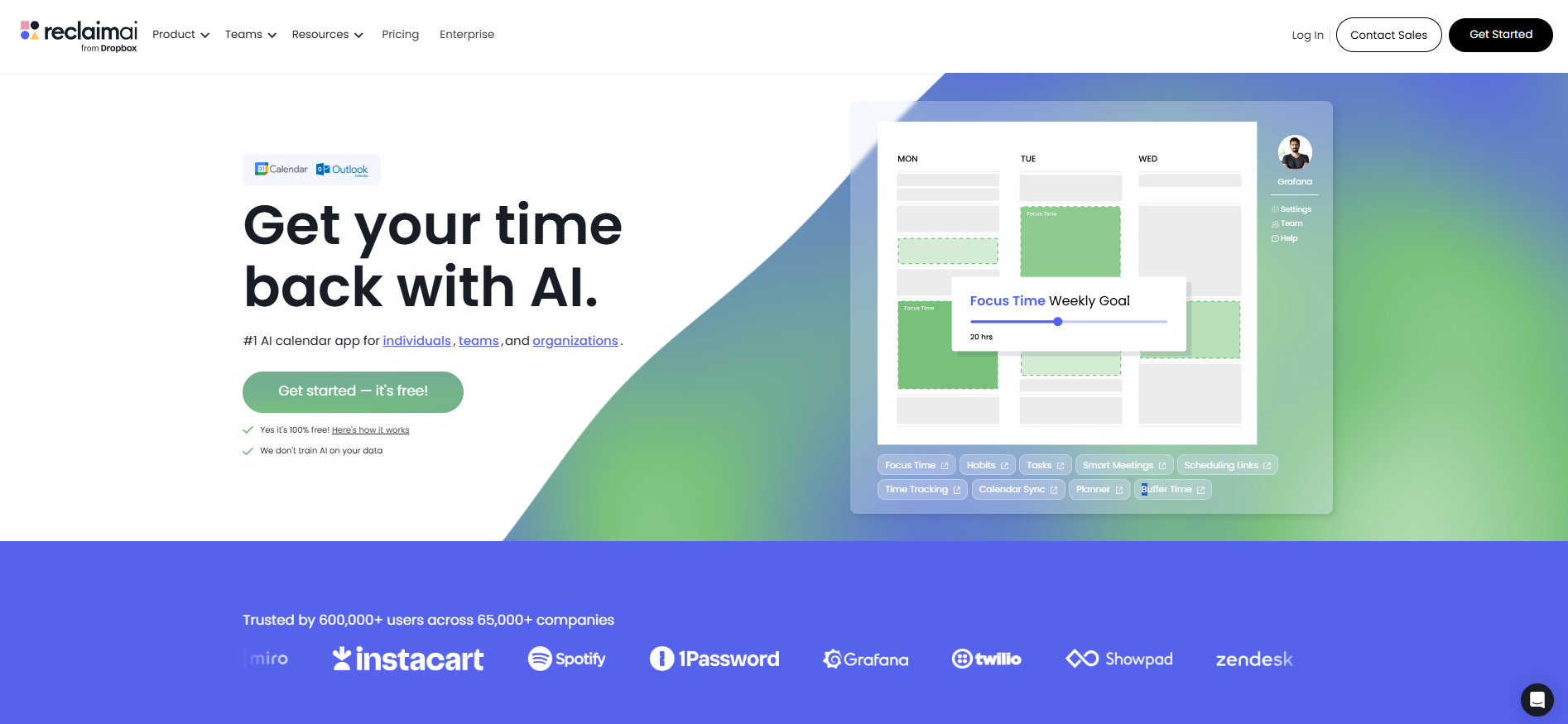
ReclaimAI is an intelligent scheduling layer that sits on top of your Google Calendar or Outlook. It’s designed to automatically defend your time by blocking focus periods, scheduling tasks, and protecting routines like lunch breaks.
Think of it as a smart assistant that constantly reorganizes your calendar based on priorities, deadlines, and availability without you having to do anything manually.
Key Features
Habits (Flexible Recurring Tasks): Set up recurring blocks like lunch, exercise, or focus time. ReclaimAI automatically finds the best time for these based on your calendar availability, and moves them around when meetings get scheduled.
Task Auto-Scheduling: Connect your project management tool and ReclaimAI pulls tasks with deadlines, then schedules them onto your calendar automatically.
Smart 1:1s: ReclaimAI finds the optimal time for recurring one-on-ones with team members, prioritizing times that work for both calendars without manual back-and-forth.
Focus Time Defense: Set a weekly focus time goal (e.g., 15 hours) and ReclaimAI progressively fills your calendar with flexible focus blocks.
People Analytics: For teams, ReclaimAI provides insights into how people spend time across meetings, tasks, and focus work, helping managers spot burnout risks.
Buffer Time & No-Meeting Days: Automatically adds prep time before meetings, decompression time after, and can protect a full day from meeting requests.
Pricing
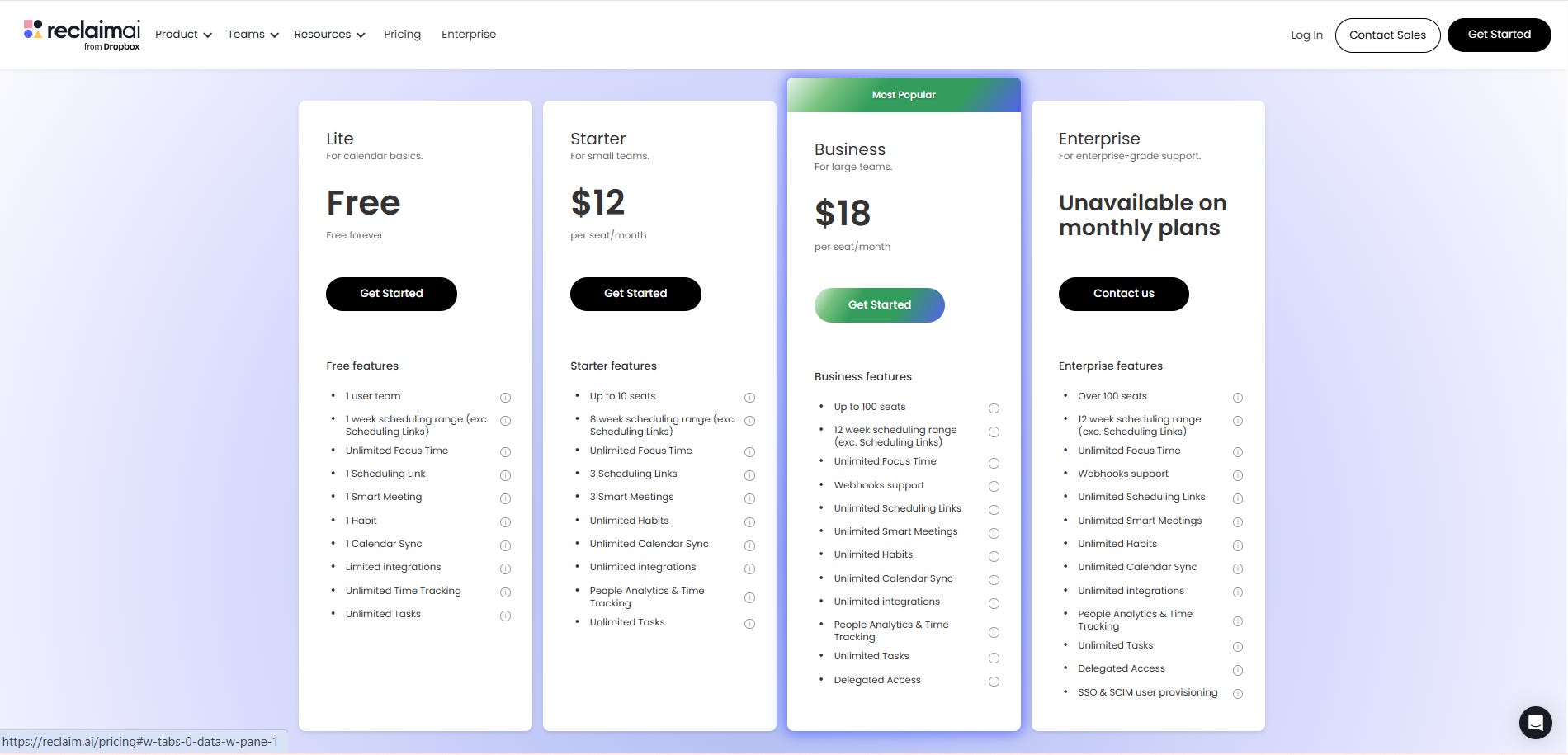
Free (Lite): 1 calendar sync, 1 habit, 8-week scheduling
Starter: $12/month (monthly) — 10 seats max, unlimited habits
Business: $18/month (monthly) — 100 seats, advanced analytics
Enterprise: Custom pricing
Pros
Generous free tier: You can actually use ReclaimAI meaningfully without paying, unlike Akiflow
Excellent habit scheduling: Best-in-class for blocking recurring routines like lunch or exercise
Strong team features: Smart 1:1 scheduling and people analytics make it great for managers
Automatic rescheduling: When meetings run long or get moved, ReclaimAI adjusts your entire day automatically
Cons
No native mobile app: This is a popular complaint with users. You can only use the web app, which is mobile-friendly but limiting
No energy awareness: ReclaimAI doesn’t know if you’re fried after six meetings or fresh at 9am.
Calendar-centric, weak task management: Tasks are basic. You’ll still need a separate project management tool for anything complex
Can feel too automated: Some users complain that ReclaimAI’s scheduling feels rigid and overrides their preferences
Best For
ReclaimAI works best for:
Corporate professionals on larger teams who need to defend focus time from endless meetings
Managers coordinating multiple 1:1s across team members
Teams using Slack/Zoom who want automatic status syncing
Akiflow: The Task Consolidation Command Center
What It Is
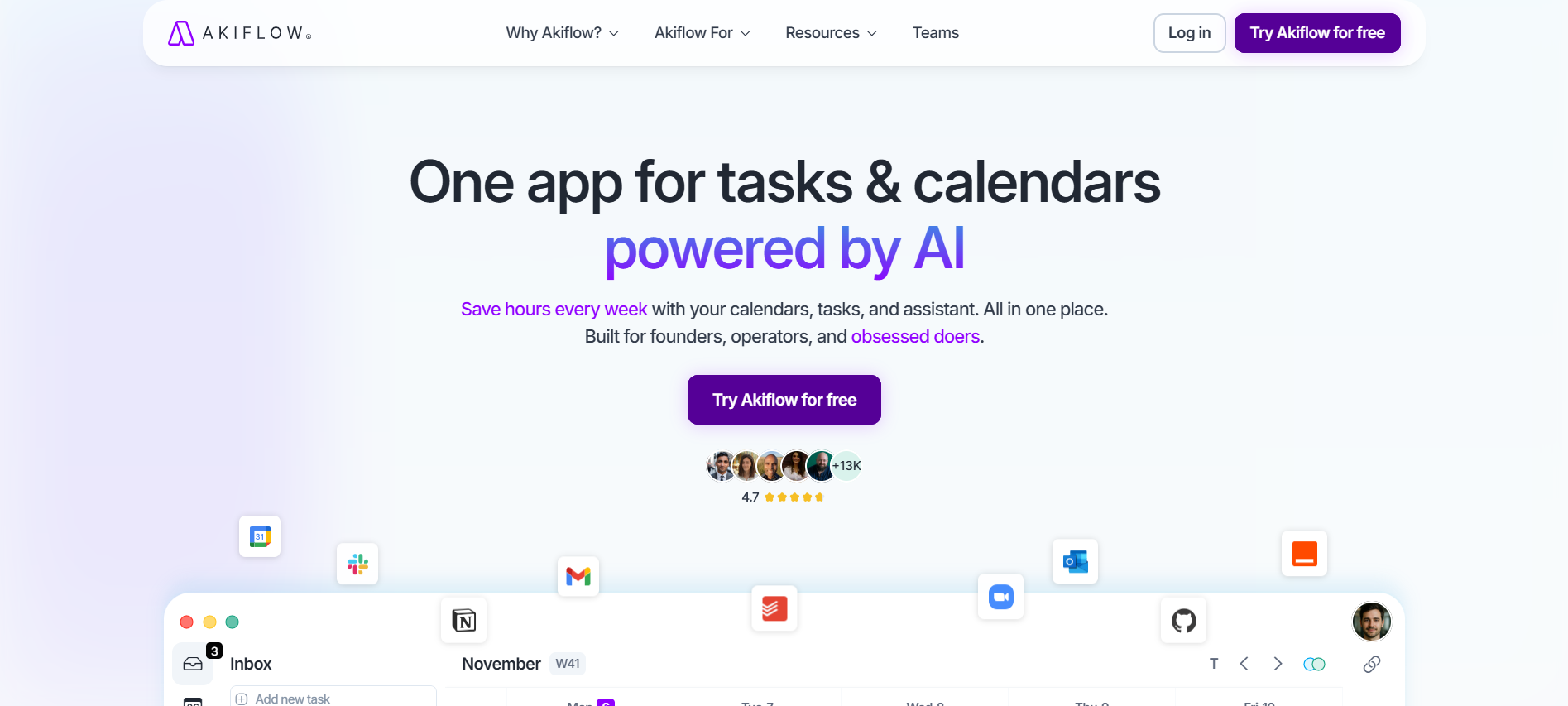
Akiflow is a daily planner that brings tasks from everywhere (email, Slack, Notion, Asana, Github, Todoist, etc) into one unified inbox. From there, you manually drag tasks onto your calendar to time-block your day.
Key Features
Universal Task Inbox: Akiflow pulls tasks from 18+ integrations including Gmail, Notion, Slack, Todoist, Asana, ClickUp, Jira, Linear, Trello, and GitHub. Everything lands in one place.
Time Blocking with Time Slots: Drag tasks onto your calendar to time-block them. The unique “Time Slots” feature lets you group multiple tasks into a single block, so you’re not cluttering your calendar with 20 individual items.
Aki (AI Assistant): Chat with Aki to create tasks, auto-assign projects, get coaching on priorities, and manage your day conversationally. It’s more advanced than ReclaimAI’s automation.
Command Bar & Keyboard Shortcuts: Power users love Akiflow’s keyboard-first interface. Hit Option+Space to create tasks instantly, use shortcuts to schedule, snooze, or prioritize without touching your mouse.
Email-to-Task Conversion: Forward emails to Akiflow or use the Gmail/Outlook integration to turn messages into actionable tasks with context attached.
Pricing
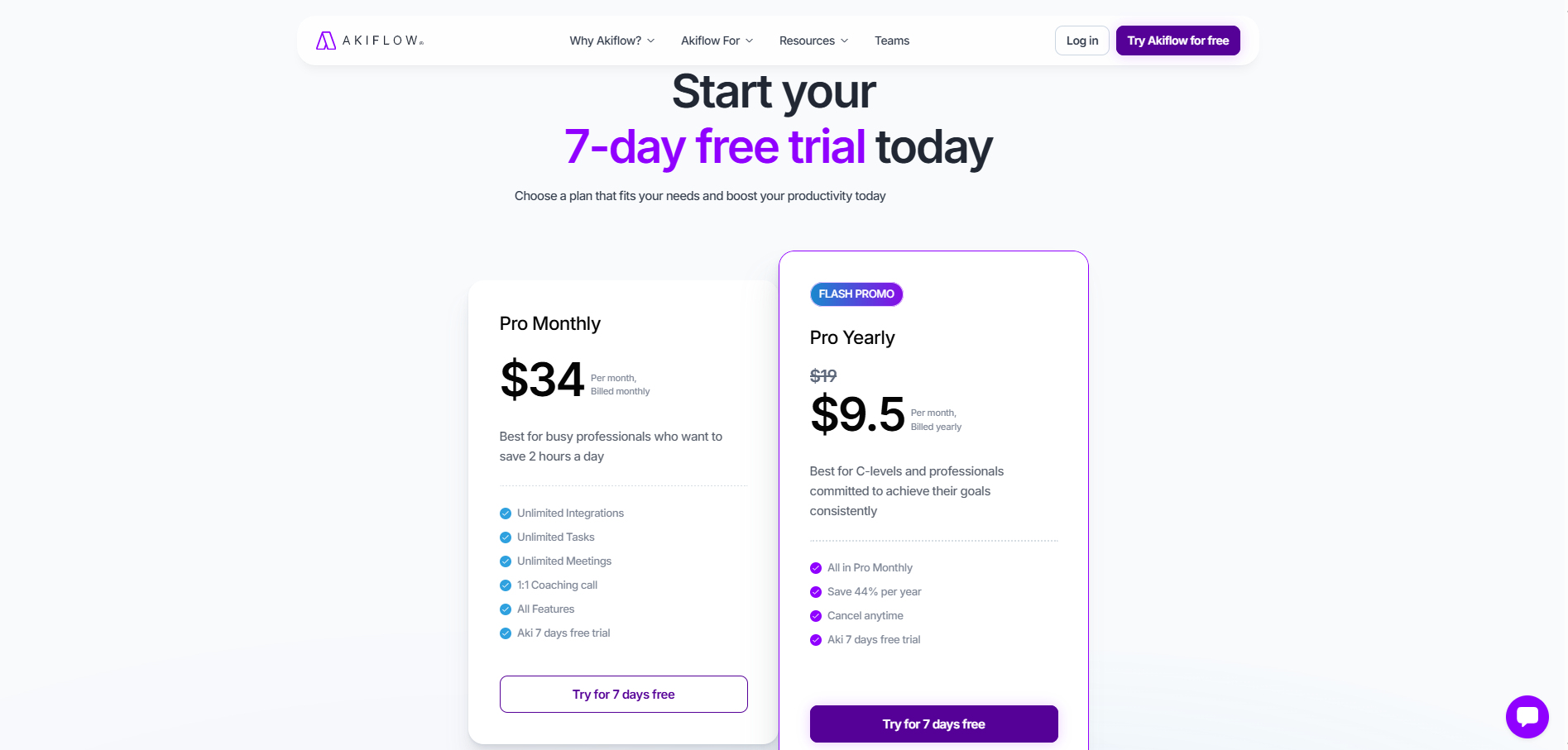
Free tier: ❌ None
Free trial: ✅ 7 days
Annual: $19/month ($228/year) — 40% off monthly price
Monthly: $34/month
Note: Discounts available for students, military, and healthcare workers.
Pros
Best-in-class task consolidation: If your work is scattered across tools, Akiflow brings it all together seamlessly
Native mobile apps: Unlike ReclaimAI, Akiflow has real iOS and Android apps (though mobile experience gets mixed reviews)
AI assistant (Aki): More conversational/capable than ReclaimAI’s basic automation
Multiple Google Calendar support: ReclaimAI can only connect one
Cons
Expensive: $34/month is steep, especially compared to ReclaimAI’s free tier
No free tier: You can’t test Akiflow meaningfully without committing to the trial
Requires daily manual planning: If you fall behind on dragging tasks onto your calendar, the system breaks down
No energy awareness: Like ReclaimAI, Akiflow treats all hours equally
Best For
Akiflow works best for:
Founders and senior operators juggling multiple tools who need task consolidation
Power users who love keyboard shortcuts and want speed over everything
People who prefer manual control and don’t mind spending 10-15 minutes daily planning
Professionals with ADHD who need everything in one place
Where Both Tools Fall Short
Here’s what neither ReclaimAI nor Akiflow gets right:
Neither Integrates Energy or Performance Patterns:
Both tools schedule work based on when you’re available, not when you can do it well. A 30-minute task at 9am after eight hours of sleep hits differently than the same task at 4pm after back-to-back meetings. But neither tool understands that your capacity changes throughout the day.
Neither Combines Email + Calendar + Health Data:
Both ReclaimAI & Akiflow understand your work context (calendar & task apps). But neither tool combines your work context with the actual capacity. They don’t know how you slept last night or when your energy naturally peaks and dips.This means both tools are optimizing for the wrong metric. They consider your time and work context as the only two inputs, instead of planning around your performance (based on your health & energy data).
Both Assume Your Cognitive Capacity Is Fixed:
ReclaimAI and Akiflow treat every hour as equal. Morning you and evening you are the same person with the same capabilities.
But we all know that’s not true.
Your capacity will fluctuate, you might experience decision fatigue. And strategic thinking requires different mental resources than tactical execution.
A Third Alternative: rivva
If you’ve read this far and thought, “Neither of these tools solves my actual problem,” you’re not alone.
ReclaimAI and Akiflow are both strong tools, but they’re solving yesterday’s productivity challenge: time management.
The real challenge for high-performing founders and operators isn’t managing time. It’s managing capacity.
That’s where rivva comes in.
What Makes rivva Different
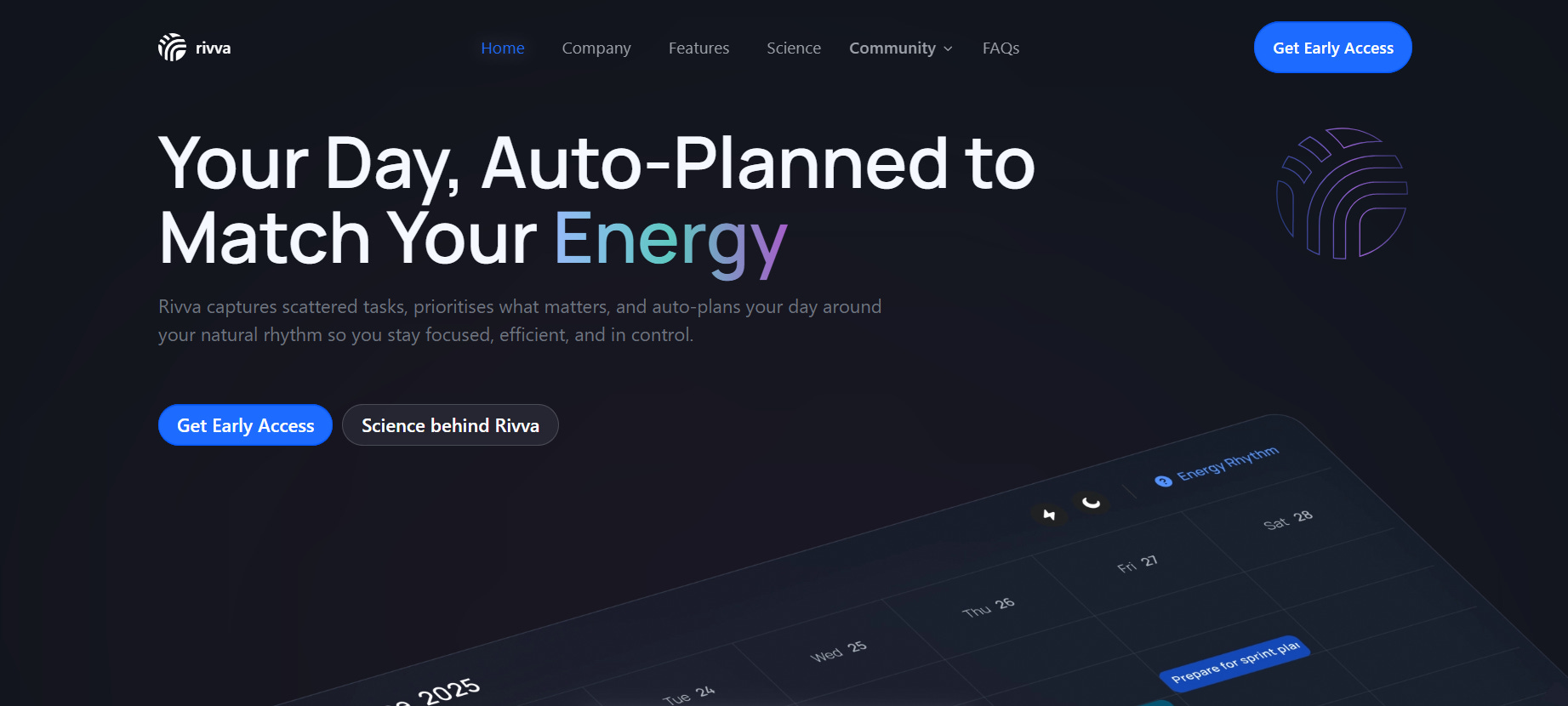
rivva is an intelligent workspace that plans your day around your energy levels, calendar, tasks, and inbox, so you accomplish what matters without burning out.
Here’s how it’s different from ReclaimAI and Akiflow:
1. Energy-Aware Planning from Your Wearables
rivva connects to your wearable (e.g. Oura Ring, Apple watch, Whoop) via your Apple Health to understand when you’re naturally sharp versus running low.
We schedule demanding work during your peak hours and batch admin tasks when your capacity dips. Unlike ReclaimAI and Akiflow, we understand that 9am you and 4pm you aren’t the same person.
2. Your AI Assistant (Nia) Manages Your Day Proactively
Nia creates tasks from chat, reschedules work when tasks run long, and adjusts your plan automatically. When you’re stuck or overwhelmed, Nia doesn’t just organize; she coaches you through execution.
ReclaimAI offers automation. Akiflow offers an AI assistant (Aki). rivva offers proactive AI coaching that adapts to your work context and energy data.
3. Automatic Task Extraction + True Calendar Sync
rivva automatically extracts tasks from your email, including meeting summaries, GitHub issues, Notion comments, and notifications from other tools. If it shows up in your inbox, rivva can turn it into a task with context attached.
You can connect multiple email addresses and multiple calendars (work, personal, side projects), then plan everything in one place.
Unlike ReclaimAI and Akiflow, rivva has two-way calendar sync. Tasks you time-block in rivva appear directly on your Google Calendar, so people don’t book over focused work and you’re never double-booked across calendars.
4. Designed for Sustainable High Performance
ReclaimAI defends your time. Akiflow consolidates your tasks. rivva protects your capacity.
We’re built for people who can’t afford to burn out—founders running strategy at 10am and debugging Notion at 11pm, senior operators context-switching between deep work and tactical execution, ambitious knowledge workers who want high output without high stress.
Recommendations: Which Tool Should You Choose?
Here’s my honest take after analyzing both tools:
Choose ReclaimAI if:
You work at a larger company, attend lots of meetings, and your main pain point is calendar defense. The free tier is generous and the automation works well for teams.
But be aware: You’ll still need a separate project management tool for tasks, and you’ll be managing everything from a web browser since there’s no mobile app.
Choose Akiflow if:
You’re a founder or solo operator drowning in scattered tasks across Notion, Slack, Gmail, and Asana. You want full control and you’re willing to spend 15 minutes daily planning your calendar manually.
But be aware: The price is steep ($19-34/month), the mobile app needs work, and if you fall behind on daily planning, the system breaks down.
Choose rivva if:
You’re a high-performer who’s realized that productivity isn’t about managing time, it’s about managing capacity. You want a tool that understands you’re human, with natural peaks and valleys, not a machine with consistent output.
Free tier available. $10/month or $80 per year for premium with a 7-day free trial. Available on iOS, Android, and web.
Conclusion: The Future of Productivity Isn’t Time Management
ReclaimAI and Akiflow are both solid tools.
ReclaimAI excels at calendar defense. If meetings are eating your life and you want automatic focus time protection, it delivers, especially at a generous free tier.
Akiflow excels at task consolidation. If your work is scattered across various tools and you want one unified inbox, it’s excellent—though expensive.
But the truth is that neither tool solves the fundamental problem.
The way we work is fundamentally broken. We’re expected to produce consistent output despite being biological organisms with circadian rhythms, decision fatigue, and finite cognitive resources.
Traditional productivity tools (including ReclaimAI and Akiflow) optimize for task completion, not human performance.
If you’re ready to stop fighting your biology and start working with it, try rivva for free today.